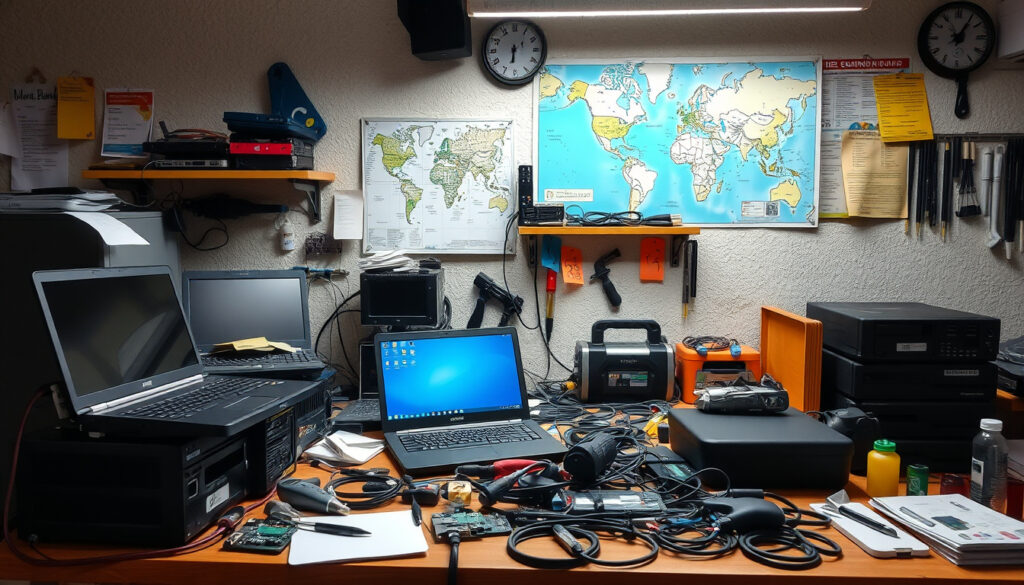
Computer Repair Near Me – Costs, Services and Local Tips
Finding dependable computer repair near me is one of the most common searches people make when a laptop crashes, a screen cracks, or malware locks them out of their files. The market includes national chains, local independents, mobile technicians, and manufacturer-authorized centers — each with distinct costs, turnaround times, and levels of accountability. Knowing how to compare them makes the difference between a fast, fair fix and an expensive ordeal.
Repair costs for laptops and PCs generally fall between $100 and $300, though the range stretches from a $20 quick fix to several hundred dollars for complex hardware work, according to data from HomeGuide’s laptop repair cost guide. Services span virus removal, screen replacement, battery swaps, data recovery, and full hardware overhauls — most of which local shops can handle within a few days.
Turnaround time, price transparency, technician credentials, and warranty terms are the four factors that separate trustworthy shops from unreliable ones. The sections below break down each dimension with verified cost figures, service comparisons, and practical guidance on when to repair, when to replace, and when to try a fix at home first.
How Do I Find Reliable Computer Repair Near Me?
Search Google Maps, check Yelp and Angi ratings, and prioritize shops with verified manufacturer authorization and consistent multi-platform reviews.
Most repairs run $50–$300. Simple fixes start around $20; screen replacements and water damage can exceed $400 depending on the device.
Local shops average 2–5 days. Same-day service exists at select chains. Mail-in warranty repairs typically take 7–10 business days.
Virus and malware, cracked screens, failing batteries, startup failures, and hardware faults including power jacks and cooling fans.
- Prioritize certified technicians — manufacturer-authorized centers use genuine parts and honor existing device warranties without voiding them.
- Back up all data before handing over any device, regardless of the repair type or estimated severity.
- Collect at least two or three written quotes before committing, particularly for repairs priced above $150.
- Ask about the warranty on the repair itself — reputable shops offer 90 days to one year on parts and labor as standard practice.
- Cross-reference reviews on multiple platforms — consistent feedback across Google, Yelp, and the Better Business Bureau is more reliable than a single high rating on one site.
- Verify your existing manufacturer warranty — mail-in repair through the original manufacturer is often free or significantly subsidized within the warranty window.
- Decline shops that refuse written estimates — verbal pricing is one of the most consistent precursors to inflated final bills.
| Issue | Average Cost | Typical Turnaround | DIY Possible? |
|---|---|---|---|
| Virus / Malware Removal | $149.99 (chains) | 2–4 hours | Partial |
| Screen Replacement | $100–$400 | 1–3 days | Risky for novices |
| Battery Replacement | $60–$150 | 30–60 min | Sometimes |
| Keyboard Replacement | $80–$200 | 1–2 days | Yes (with experience) |
| Data Backup / Transfer | $99.99 | Same day | Yes |
| Diagnostics | $39.99–$49.99+ | 1–2 hours | Limited |
| General Laptop Repair | $100–$300 | 2–5 days | Depends on issue |
| Power Jack / Fan Repair | Varies | 2–3 days | Not recommended |
| Water Damage Assessment | $150–$500+ | 3–7 days | No |
What Is the Average Cost of Computer Repair Near Me?
Repair pricing is not fixed — it shifts based on the type of issue, the parts required, the shop’s location, and whether you use a national chain or a local independent. According to HP’s computer repair guide, most laptop and PC repairs fall between $100 and $300 for standard work. Simple fixes like loose connections or minor software problems can cost as little as $20–$50.
Chain Pricing vs. Independent Shop Rates
National chains such as Geek Squad at Best Buy charge $149.99 for virus and malware removal and $99.99 for data backup and transfer, according to Best Buy’s Geek Squad services page. Diagnostic fees at chains typically run $39.99–$49.99 and are frequently waived when repair proceeds or the device is under warranty.
Independent shops tend to price more flexibly and are frequently cited as cheaper than big-box alternatives for non-warranty work. Urban chains such as uBreakiFix position themselves with competitive low-price guarantees, while local independents may offer lower base rates with more direct technician access.
If your device is within its manufacturer warranty period, mail-in repair is often free or significantly subsidized. Verifying coverage before paying out of pocket can save hundreds of dollars — a step explicitly recommended in HP’s published repair guidance.
Is It Cheaper to Repair or Replace My Computer?
A widely cited threshold is to repair when the cost of the fix is less than 50% of the device’s current value and the machine is under three years old. Replacement becomes more logical when multiple components fail simultaneously or when the device is older than four years, according to HP’s guidance.
A single, isolated issue — a cracked screen or a dead battery — on a relatively recent machine is almost always worth repairing. Water damage on an older device with declining hardware, by contrast, often makes replacement the more economical path.
Repair if: device is under 3 years old, has a single fault, and repair cost is under 50% of the device’s value. Replace if: multiple simultaneous failures, device is over 4 years old, or the repair cost approaches or exceeds the price of a comparable refurbished unit.
| Repair Type | Cost Range | Notes |
|---|---|---|
| Battery Replacement | $60–$150 | 30–60 min labor |
| Screen Replacement | $100–$400 | Cracked screens most common; DIY risky |
| Keyboard Replacement | $80–$200 | Generally cost-effective |
| Virus / Malware Removal | $149.99 | Geek Squad / Office Depot standard rate |
| Data Backup / Transfer | $99.99 | Best Buy standard rate |
| Diagnostics | $39.99–$49.99+ | Often waived under warranty |
| General Laptop Repair | $100–$300 | Simple fixes from $20–$50; water damage higher |
What Services Do Computer Repair Shops Offer Near Me?
Most local shops handle both software and hardware repairs across a wide range of brands and device types. The scope of available services varies by shop size and certification, but the most commonly offered repairs address the issues most likely to bring a user through the door.
What Are the Most Common Computer Issues Fixed Locally?
According to Call Nerds’ local computer support guide, frequent problems include black screens, startup failures, battery degradation, performance slowdowns, cracked screens, viruses and malware, and hardware faults such as broken fans and failed power jacks. These cover the majority of what local technicians encounter on a daily basis.
Screen issues — frozen displays and backlight failures — fall in the $50–$300 range depending on the panel type and manufacturer. Hardware installs such as RAM upgrades or SSD replacements are typically available at in-store labor rates around $39.99, with parts priced separately.
Not all shops use genuine manufacturer parts. Third-party components may reduce costs but can void existing warranties, shorten device lifespan, or cause secondary failures. Always ask explicitly whether replacement parts are OEM (original equipment manufacturer) before authorizing any work.
Do Computer Repair Shops Fix Both Laptops and Desktops?
The overwhelming majority of local repair centers work on both laptops and desktop PCs. Many also service tablets and external peripherals. Authorized centers for specific brands — such as HP-certified shops or Micro Center’s service department — stock OEM components and are equipped for brand-specific diagnostics and repairs that preserve manufacturer warranties.
Remote support extends the range of what’s available without a physical drop-off. Software-related issues and virus removal can be handled remotely for $39.99–$149.99, depending on the provider, which is particularly useful for users who cannot easily transport a device to a shop.
How Long Does Computer Repair Usually Take?
Turnaround depends on the service type, the shop’s current workload, and whether parts need to be ordered. Understanding the typical repair timeline helps set realistic expectations — and helps identify shops whose quoted timelines are unreasonably long or suspiciously short.
- Day 1 — Drop-Off and Diagnosis: Most shops complete an initial diagnostic within hours of receiving the device. Fees of $39.99–$49.99 apply at chains such as Geek Squad and Office Depot Tech Services; these are frequently waived if repair proceeds or if the device is under warranty.
- Day 1–2 — Parts Sourcing: Common components like batteries and screens are usually available quickly. Specialty or older-device parts may extend this phase by several additional days.
- Day 2–3 — Repair: Standard repairs including screen replacements, battery swaps, keyboard work, and virus removal are typically completed within one to two business days once parts are confirmed available.
- Day 3–5 — Testing: Reputable shops run post-repair tests — boot checks, hardware verification, and issue-resolution confirmation — before notifying the customer for pickup.
- Day 5 — Pickup or Return: The device is returned in-store or, for mobile technicians, delivered back on-site. Mobile repair compresses the entire process to one to two days for urgent situations.
- 7–10 Business Days — Mail-In Warranty Claims: Manufacturer mail-in repairs follow a longer cycle but typically carry no charge if the issue falls within warranty coverage, per HP’s repair documentation.
| Service Type | Turnaround | Cost Profile | Best For |
|---|---|---|---|
| Local Shop (In-Store) | 2–5 days | Standard | Most hardware and software repairs |
| Mail-In (Warranty) | 7–10 days | Often free | Active warranty claims |
| On-Site / Mobile | 1–2 days | Premium | Urgent or business-critical situations |
| Same-Day (e.g., uBreakiFix) | Same day | Competitive | Fast turnaround priority |
| Remote Support | Hours | $39.99–$149.99 | Software and virus issues only |
Can I Fix My Computer Myself, or Should I Call a Local Pro?
Many common computer problems are approachable for experienced users. The line between a manageable DIY fix and a repair that requires professional tools, replacement parts, and technical expertise is worth understanding clearly before opening a device or attempting any hardware work.
What Home Troubleshooting Steps Are Worth Trying First?
Restarting the device, checking all cable connections, running built-in diagnostics, updating software and drivers, and replacing external batteries or keyboards are reasonable first steps. HP’s published repair guidance explicitly encourages home troubleshooting before involving a shop, noting that these steps resolve a meaningful proportion of common problems without incurring fees.
Virus removal is another area where home users can make genuine progress. Running a full scan using built-in tools or reputable free software before paying $149.99 for professional removal is a sensible and potentially money-saving first move, according to multiple repair sources.
How Do I Choose the Best Computer Repair Service Near Me?
Authorized providers — shops certified by HP, Dell, Apple, or other manufacturers — are the most reliable option when genuine parts and warranty preservation matter. They are equipped for brand-specific diagnostics and use OEM components that do not void existing coverage.
Before committing to any shop, five direct questions cover the key risks: Does the shop offer free diagnostics? What is the estimated repair time? Does the completed repair carry its own warranty? Who will physically handle the device? Are replacement parts OEM or third-party? A written estimate before work begins is non-negotiable with any reputable provider.
How to Spot a Scam Computer Repair Shop
Consistent warning signs include refusal to produce authorization credentials, vague or verbal-only pricing, evasive answers to direct questions, and undisclosed use of non-genuine parts. These patterns are flagged as indicators of unreliable service by both HP’s repair guidance and independent repair industry sources.
Reviewing feedback across Google, Yelp, and the Better Business Bureau provides stronger signal than any single platform. National chains like Geek Squad and Office Depot offer up to one-year warranties on completed repairs — a useful baseline when evaluating the warranty terms of independent shops nearby.
What Warranty Coverage Do Local Repair Services Provide?
Warranty terms on completed repairs vary significantly by shop. National chains provide standardized coverage periods — Best Buy’s Geek Squad and Office Depot Tech Services both include post-repair warranties. Independent shops range from 90 days to one year, and the terms must always be confirmed in writing before authorizing any work.
Using an unauthorized third-party shop on a device still under manufacturer warranty can void that original coverage entirely. Confirming warranty status directly with the manufacturer before choosing a repair channel is the most consistently recommended first step across all major repair guidance sources.
Local vs. Chain Computer Repair: How the Market Works
The computer repair market divides broadly between national chains with standardized pricing and independent local shops with more variable but often lower costs. Urban markets support walk-in chains such as uBreakiFix, which compete on same-day service and low-price guarantees. Suburban and rural areas rely more heavily on independent technicians, where pricing and quality can vary considerably from one shop to the next.
Independent shops are frequently described as the better choice for non-warranty repairs — offering more direct technician access and lower overhead-driven pricing than big-box alternatives. The trade-off is variability: review research matters significantly more in the independent sector than it does when using a nationally standardized chain.
Regular maintenance — software updates, scheduled backups, and periodic hardware checks — remains the most cost-effective long-term strategy for minimizing both repair frequency and unexpected cost. Both manufacturer guidance and independent repair sources emphasize proactive upkeep as the primary way to avoid emergency situations.
What Repair Industry Sources Say
“Troubleshoot at home first — restart, check connections, update software, or replace batteries and keyboards with basic tools to avoid shop fees.”
HP Tech Takes, HP Computer Repair Near Me Guide
“Local nerds or independents excel for non-warranty work over manufacturer or mail-in options — offering honest pricing without the eye-wateringly expensive rates of some big-box chains.”
Call Nerds, Computer Support Near Me
“Screen issues, frozen displays, and backlight failures cost $50–$300; DIY replacement runs around $100 if you’re experienced, but novices risk causing additional damage.”
HomeGuide, Laptop Repair Cost Guide
Next Steps When You Need Computer Repair Near You
Start by identifying the specific problem and attempting safe home troubleshooting — a restart, a connection check, or a free virus scan. If the issue persists, search for authorized repair shops in your area, collect at least two written quotes, verify credentials and review history across multiple platforms, and confirm whether your device warranty covers the repair before spending anything out of pocket. Repair is almost always worthwhile for a device under three years old with a single fault. Mobile and same-day options exist when speed is the priority. For readers navigating other local service decisions that reward the same careful comparison process, the guide to Bathroom Showroom Near Me – Top Massachusetts Locations applies a similar research framework to a different high-investment local purchase.
Frequently Asked Questions About Computer Repair Near Me
What should I do before taking my computer for repair?
Back up all data to an external drive or cloud storage first. Check whether the device is still under manufacturer warranty, as the repair may be free through official channels. Document any error messages or symptoms to describe accurately to the technician. Remove or secure sensitive personal information where possible before handover.
Are mobile computer repair services available near me?
Yes. On-site mobile technicians travel to your home or office and typically complete repairs within one to two days. This option is priced at a premium over standard in-store service but is well-suited to urgent situations or users who cannot easily transport a device to a shop.
How do I spot a scam computer repair shop?
Key warning signs: no authorization credentials, vague or verbal-only pricing, evasive answers to direct questions, and undisclosed use of non-genuine parts. Always request a written estimate and cross-reference the shop’s reviews across Google, Yelp, and the Better Business Bureau before authorizing any work.
What warranties do local repair services typically provide?
National chains like Geek Squad and Office Depot offer up to one year on completed repairs. Independent shops generally provide 90 days to one year, but terms vary. Always confirm warranty coverage in writing. Using an unauthorized shop can void any existing manufacturer warranty still in effect on your device.
How much does a computer diagnostic cost near me?
Diagnostic fees typically run $39.99–$49.99 at major chains and are often waived when the repair proceeds or the device is under warranty. Some independent shops offer free diagnostics as a competitive advantage. Confirm the fee policy explicitly before dropping off your device to avoid unexpected charges.
Can virus removal be done remotely without a shop visit?
Yes. Many service providers offer remote virus and malware removal for $39.99–$149.99 without requiring a physical drop-off. Attempting removal first using built-in tools or reputable free software is a reasonable step before paying for professional remote service. For a separate look at connected device performance, see the Sony WF-C710N – Specs ANC Battery vs C700N Review.
Do repair shops near me service Apple computers?
Apple-authorized service providers operate in most metro areas and handle repairs covered by AppleCare or standard Apple warranty. Independent shops may also service Apple hardware, but unauthorized repair can void Apple’s warranty. Always verify a shop’s authorization status before proceeding with any Apple device repair.
Is repairing an older computer worth the cost?
Repair is generally recommended when the device is under three years old, has a single fault, and the repair cost is less than 50% of the device’s current value. Machines over four years old with multiple simultaneous failures are typically better candidates for replacement than further repair investment.
More related posts
 Xi Jinping: Biography, Power, and China’s Paramount Leader
 Elif Shafak: Life, Books, and Famous Works (2026 Guide)
 Zion Williamson: Career, Salary, Net Worth, and Personal Life
 Charles Bronson: Britain’s Most Notorious Prisoner
 Caoimhin Kelleher: Salary, Age, Height, and Personal Life
 Kim Possible: Cancellation, LGBTQ Characters & IDF
 Kola Bokinni: Biography, Nationality, Family, and Career
 Prince Andrew Royal Perks – What He Still Keeps